
AI assistant
Ask your reports in plain words
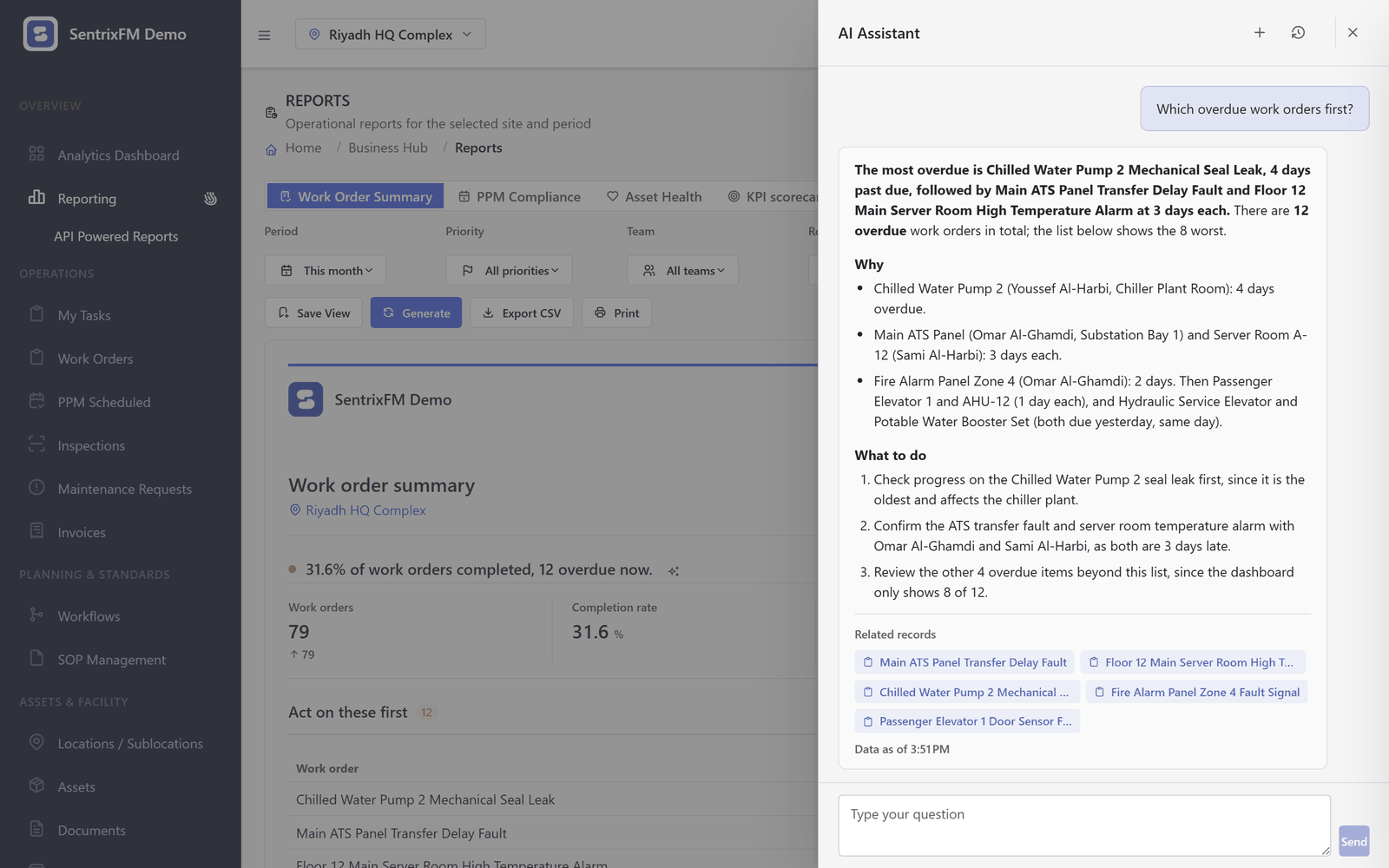
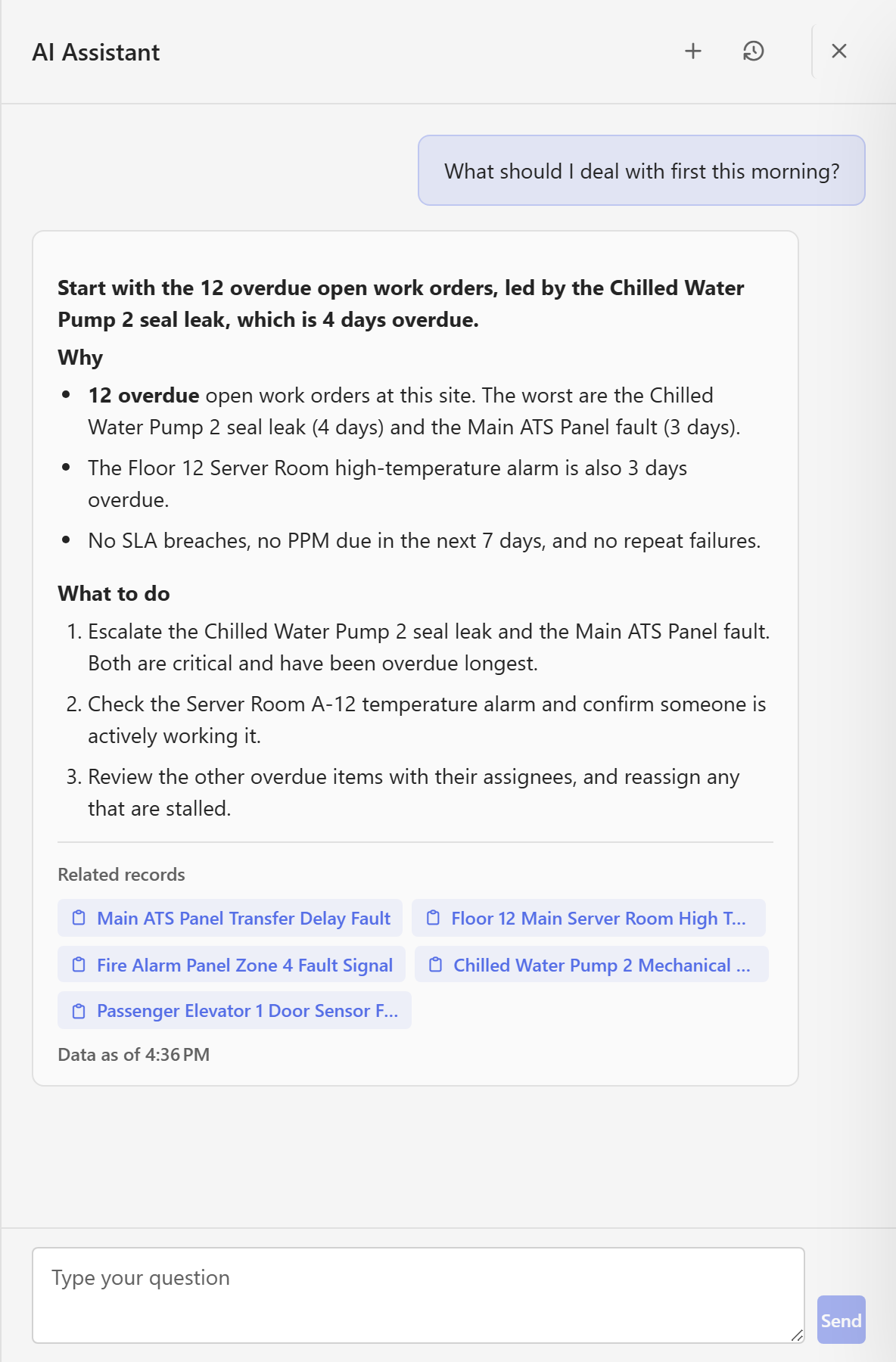
The SentrixFM AI Assistant opens from the top bar on every page of the web app. Ask about work orders, PPM compliance, KPIs and asset health, and the AI assistant answers from your own report data. Your admin switches it on.
Ask
A drawer on every page, with your conversations saved
- Opens from the top bar on every page of the web app
- Conversations saved per user, reopened or deleted by you
- Purged after 90 days
- Starter questions on Reports and Dashboard
Answers
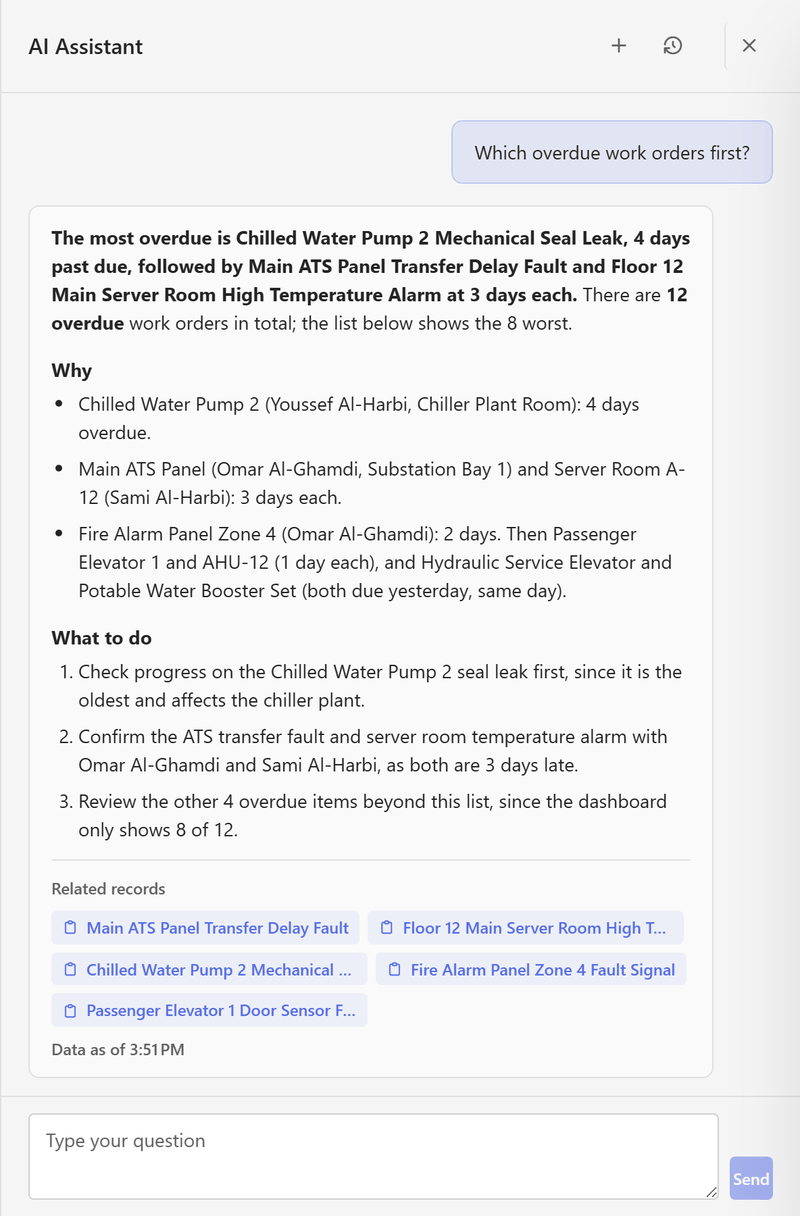
Answers from your data, and proposals you confirm
- Work-order summary and PPM compliance
- KPI scorecard against targets and asset health
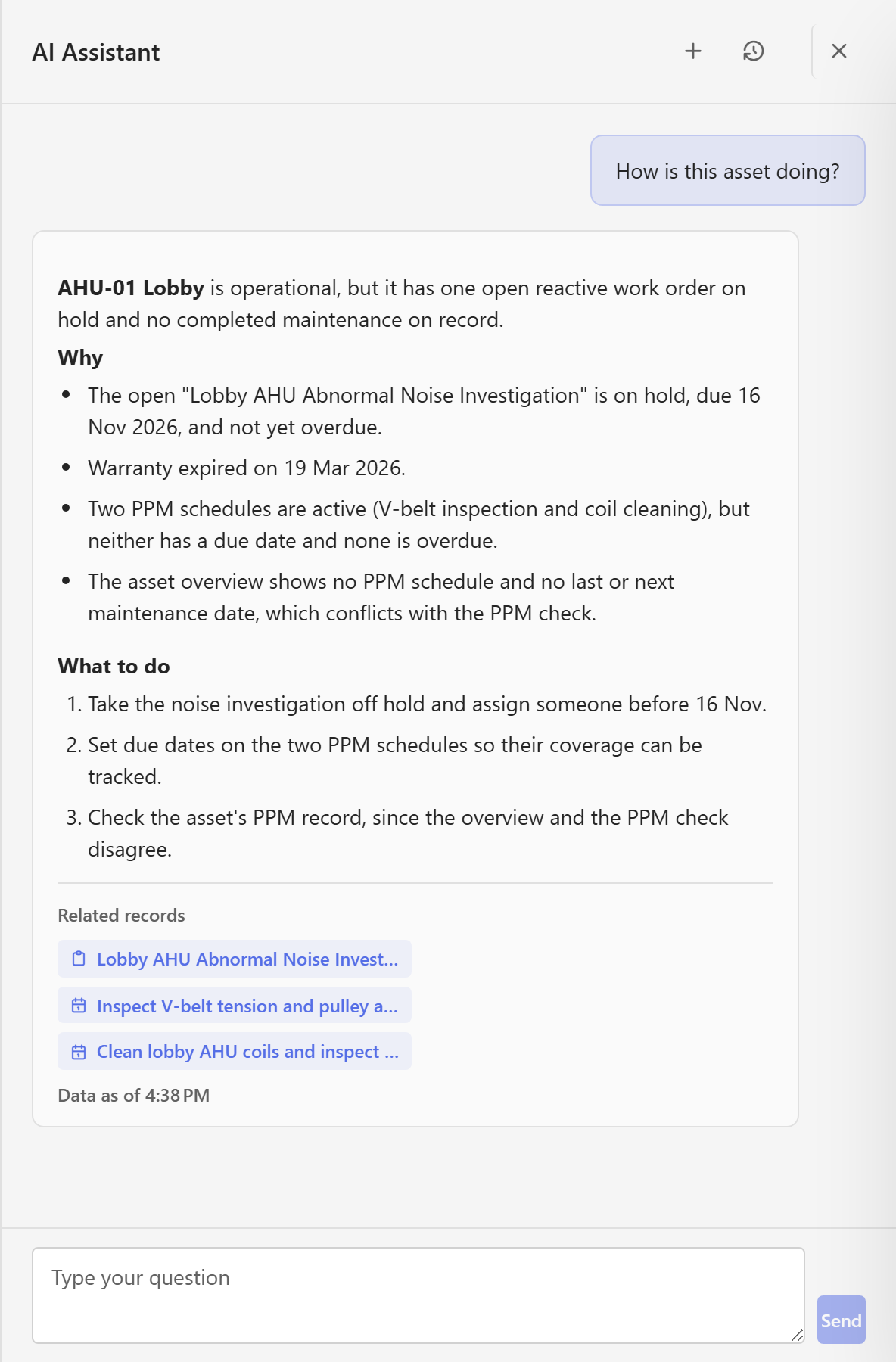
- Open work per assignee and assets with no active PPM
- It can propose a work order or an assignment; nothing is written until you confirm on the card
Permissions
Same permissions and locations as your reports
- Same permissions and locations as the reports
- Cost figures hidden without View Cost
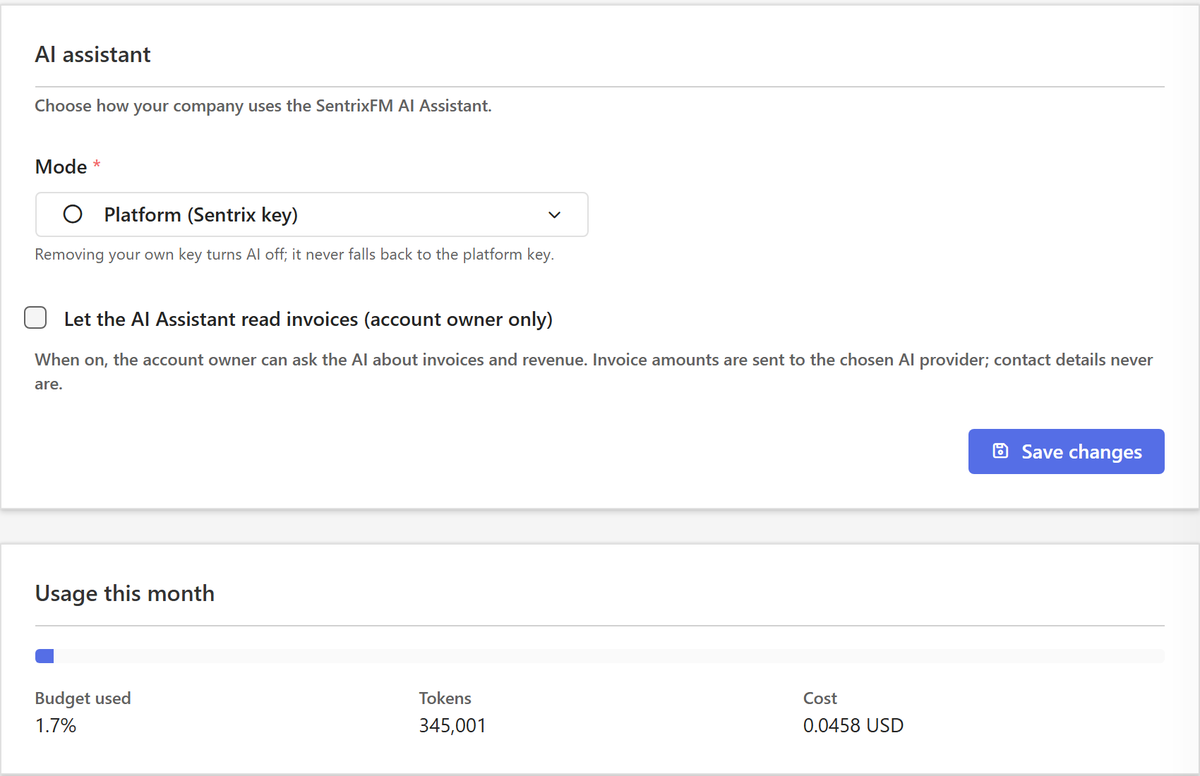
- Invoice data only if the account owner switches it on
- Only for users with the AI reports permission
Checks
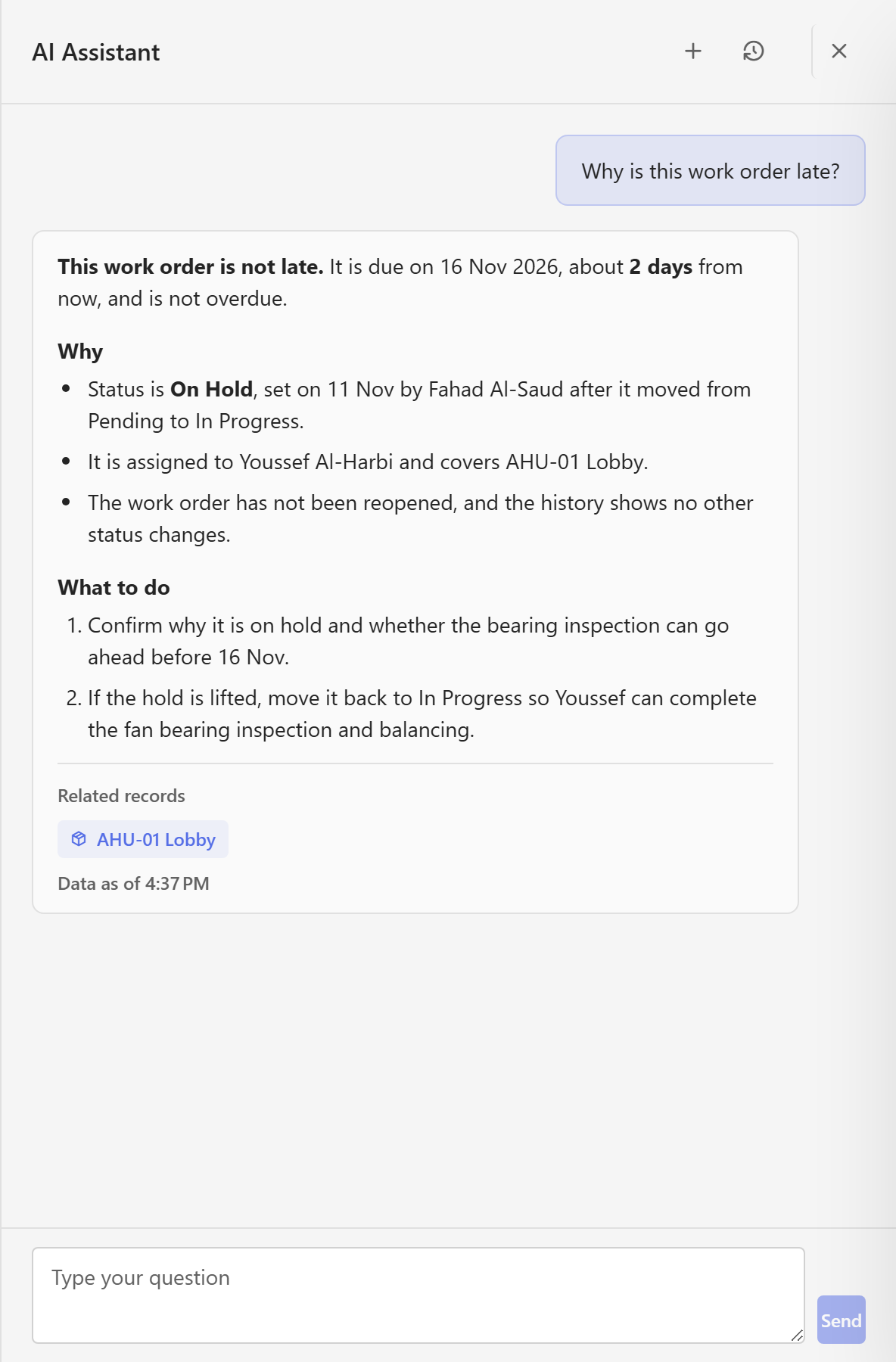
Figures are checked, and every answer shows when its data is from
- Figures checked against the tool data
- Figures that cannot be traced are flagged
- A Data as of time on each answer
- Arabic or English
Setup
Use the platform AI service, or your own AI account
- Platform AI service with a monthly budget per company
- Or your own AI account, Anthropic or OpenAI-compatible
- Key stored encrypted, with a consent line and Test key
Dashboard briefing
A daily briefing on the dashboard, and a sparkles button on every KPI
- Up to three bullets, from the last 30 days
- Refresh and Ask more
- Sparkles button on every KPI card and report KPI tile
Frequently asked questions
Can the AI assistant change my records?
Not on its own. It can propose a work order or an assignment, and a confirm card shows the exact details first. Nothing is written until you confirm, a card left unanswered expires, and you can cancel it.
Who sees the AI assistant?
Only users with the AI reports permission, in companies where the admin switched it on.
Does it show cost, invoices or revenue?
Cost figures are hidden without the View Cost permission. Invoice data is available only if the account owner switches it on.
Which AI service does it use?
Your admin chooses: the platform AI service with a monthly budget per company, or the company's own AI account, Anthropic or OpenAI-compatible, with the key stored encrypted.
How long are conversations kept?
Conversations are saved per user and purged after 90 days. You can reopen or delete them at any time.
See the AI assistant answer a question
We walk you through it live, on your own report data.