Integrated facilities operations platform for GCC FM contractors and multi-site portfolios
Plan, run and prove every maintenance job, in Arabic and English.
Draw the plan in a visual workflow editor, run it as PPM and work orders against a procedure, and close every job with proof, whether it was planned or reported as a fault. Ask the SentrixFM AI Assistant what to deal with first and it answers from your own data, across sites with up to seven levels of hierarchy.
AI Assistant · BPMN workflow editor · Maintenance execution · SOP compliance · 7-level site hierarchy · Space management · IoT and 3D digital twin
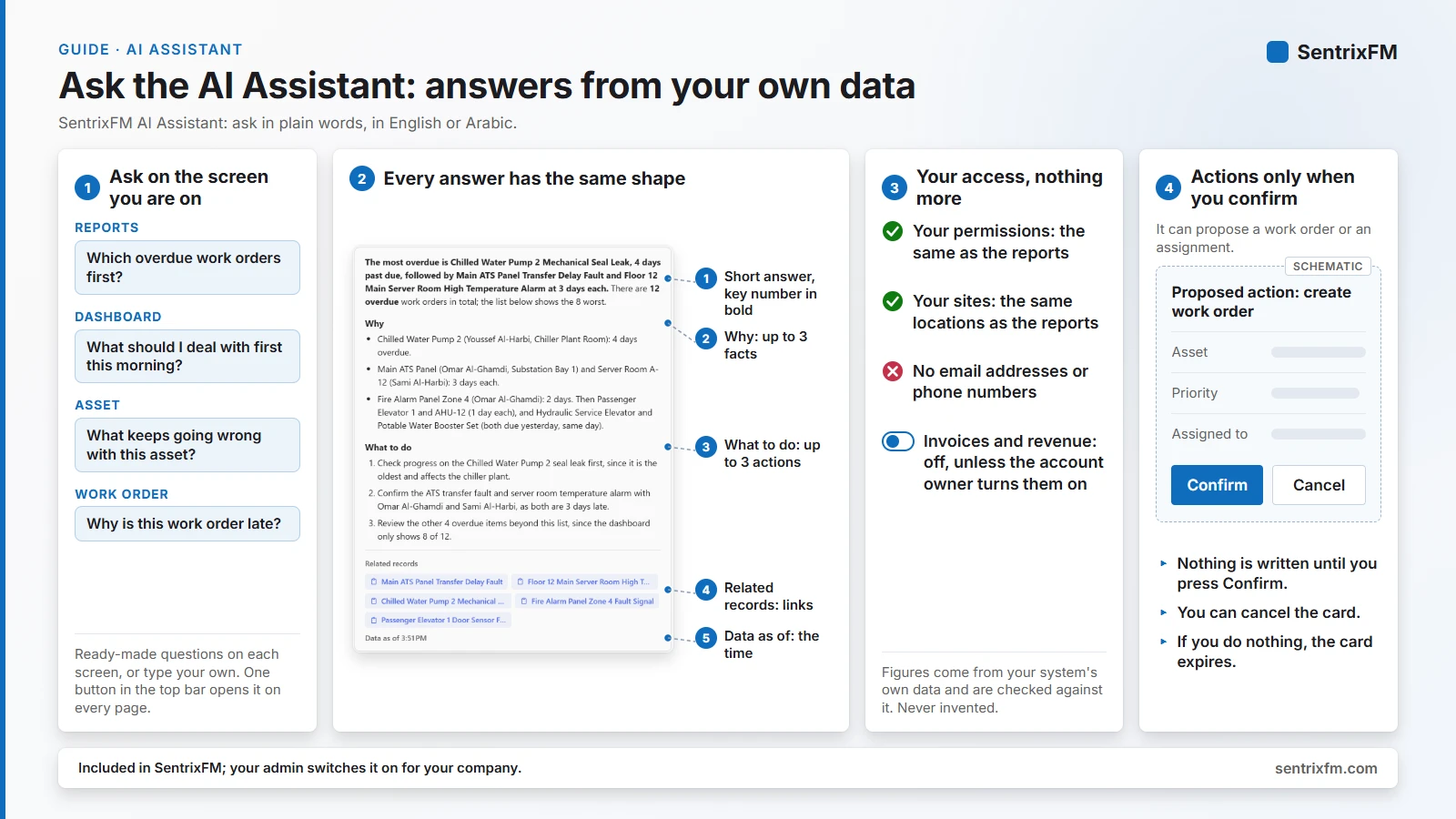
Ask in plain words, get answers from your own data
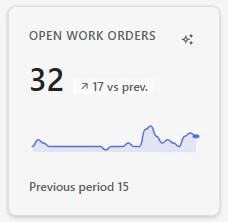
The SentrixFM AI Assistant opens beside any page of the web app. Ask about your work orders, PPM compliance, KPIs and asset health, and the AI assistant answers from your own data. It is included, and your admin switches it on for your company.
SentrixFM AIAssistant
What should I deal with first this morning?
Four critical work orders are overdue. Start with the chilled water pump.
Related records
Chilled Water Pump 2 Mechanical Seal Leak
Main ATS Panel Transfer Delay Fault
Create work order
Title
Chilled Water Pump 2 seal leak
Priority
High
ConfirmCancel
Nothing is written until you confirm
Answers from your own data
It reads your reports, dashboard, assets and work orders for the period and location you choose. It proposes, you decide: a proposed work order or assignment shows a confirm card, and nothing is written until you confirm.
SentrixFM AIAssistant
What should I deal with first this morning?Today, 08:12
Why is this work order late?Yesterday
What keeps going wrong with this asset?Mon
Ask in plain words
Open the assistant from the top bar on any page of the web app. Each conversation is saved for you, and you can reopen or delete it.
Facility manager
Cost
Labour
Parts
External
Technician
CostHidden without View Cost
Same permissions as your reports
It uses the same permissions and locations as the reports. Cost figures are hidden unless you hold the View Cost permission.
Four critical work orders are overdue.
Why
Chilled Water Pump 2 seal leak, 2 days late
Server room high-temperature alarm, 1 day late
What to do
1.Escalate the Chilled Water Pump 2 seal leak today.
App language
EnglishArabic
AI service
Platform AI, monthly budget
Your company's own AI account
In Arabic or English
Answers come in the app language, Arabic or English. Your admin chooses the platform's AI service with a monthly budget, or the company's own AI account.
Questions you can ask
What should I deal with first this morning?
Why is this work order late?
What keeps going wrong with this asset?
How are we doing on SLA response and resolution this month?
Which assets have no active PPM schedule?
On the dashboard, a daily briefing of up to three short points sums up the last 30 days, worst item first, with an Ask more button.
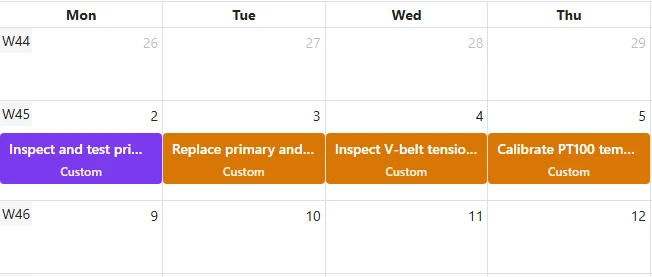
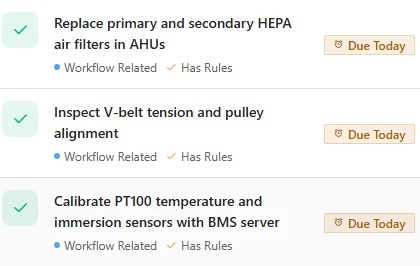
A visual BPMN editor is built into SentrixFM, which is rare among CAFM platforms. Maintenance Packages hold the PPM tasks, the workflow runs on a date or cron schedule, and every due task becomes a work order.
WorkflowScheduled: day 1 of every month
Chillers
2 of 3 done
Inspect chillerCheck refrigerantWork orders
Air handling
1 of 2 done
Replace filtersCheck beltsWork orders
Fire safety
0 of 2 done
Test pumpsCheck alarmsWork orders
Parallel
Sequential
Priority-optimized
Source: Workflow Related
Swimlanes are packages
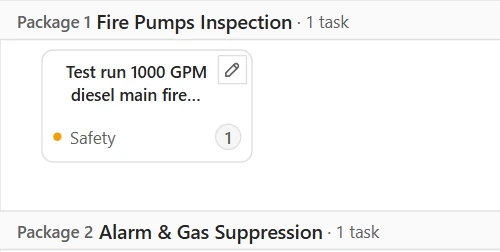
Each swimlane is a Maintenance Package, and the shape you drag onto it is a PPM task. Tasks sit inside a package lane and connections run from task to task.
Choose how packages run
Run the packages of a workflow in parallel, one after another, or priority-optimized.
Schedule it, pause it
A workflow is scheduled by date or by cron expression. Pause it, resume it later, or duplicate it to start a similar plan.
Due tasks become work orders
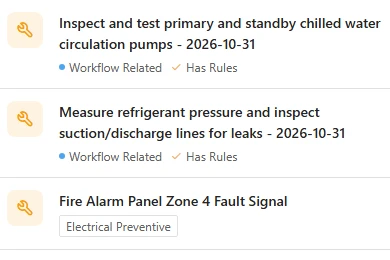
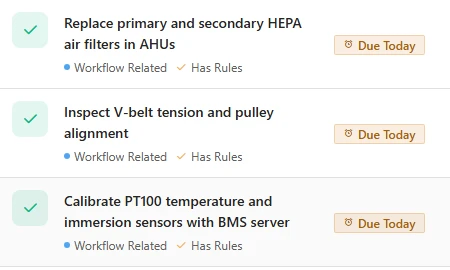
Work orders released by a workflow cycle show their source as Workflow Related. Planned package days skip your company weekends and holidays.
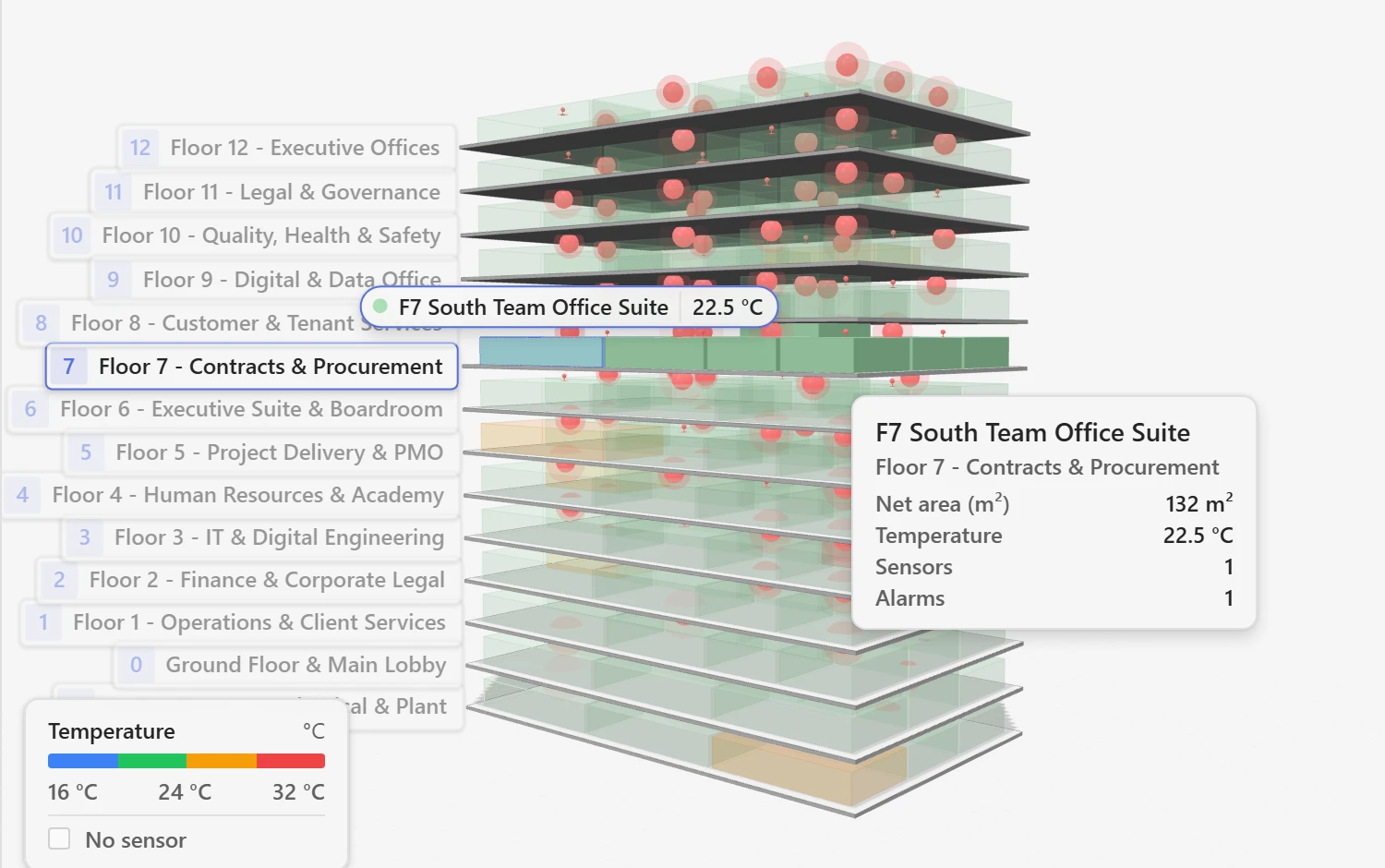
Draw a floor plan for each floor and SentrixFM stacks them into an interactive 3D building. Sensors colour the rooms live, and the same locations carry area, occupancy, booking and chargeback.
Floor plans and a 3D building
Upload a plan per floor and draw its rooms. The floors stack into a 3D building, and hovering a room shows its live value and open alarms.
Room 3.04
Temperature23.8 °C
Humidity46 %
CO21,280 ppm
CO2 above 1,000 ppm
Work order suggestedApprove
Live sensors
Temperature, humidity, CO2, occupancy, door, water leak, vibration, power and energy. An alarm can create a work order or suggest one for approval.
AreaOccupancy
Tower A6,000 m²72%
Floor 12,400 m²80%
Floor 21,800 m²70%
Floor 31,800 m²62%
Area and occupancy
Each location carries area, capacity and occupancy, rolled up from every sub-location without double counting.
Meeting room 3.01
FinanceVendor review09:30
08:0009:0010:0011:0012:00
Clash: 09:30 overlaps Finance weekly
Department
m²
Rate / m²
Charge
Finance
620
45
27,900
Operations
1,150
45
51,750
HR
310
45
13,950
Booking and chargeback
Book rooms with a clash check, assign people to spaces, and see each department’s billable area at its rate per m².
Plan automated PPM, enforce step-by-step field SOPs, and lock work-order completion until photo proof, quality checks and client sign-off are recorded, natively in Arabic and English.
Completion is blocked until the required steps are done.
Build maintenance workflows in a visual BPMN editor built into the platform. Maintenance Packages are the lanes, each package runs in parallel, in sequence or by priority, and SentrixFM turns the drawing into PPM schedules and work orders.
2
Schedule it
Scheduled maintenance that creates itself
Set how often a job repeats. SentrixFM generates the work order each night, respects your company holidays and your time zone, and can skip a cycle if the last order is still open.
3
Assign it
Give every job an owner
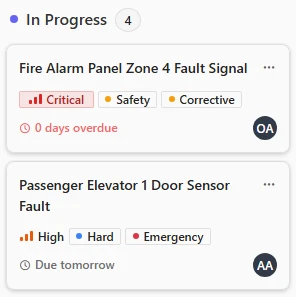
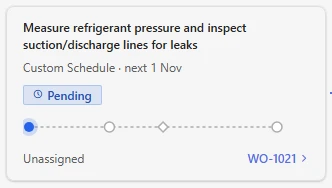
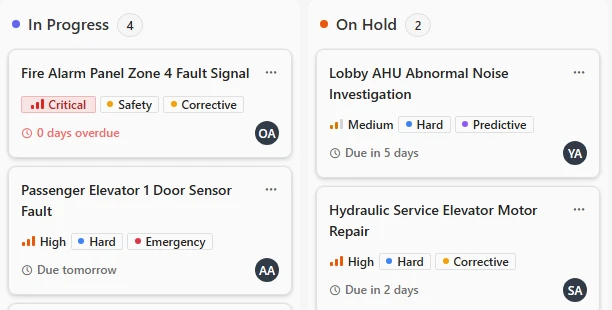
Work orders sit on a board by status: Pending, In Progress, On Hold, Completed. A job cannot start without an assignee, so nothing runs unowned.
4
Do it right
Follow the procedure on site
The SOP travels with the work order. Technicians tick the steps, take photos and log their time and parts on the work order.
5
Prove it
Close it with proof
Completion checks the gates your company switches on: time logged, after photo, note, SOP, quality check and client approval. Your staff record each one.
6
See the cost
Stock and cost tied to the job
Parts, labour time and external lines add up on the work order, and each asset shows its lifetime cost.
A schedule that turns into work orders, a work order that cannot close without proof, and stock that carries its own cost.
Planned and corrective work
From plan or fault to proof, in one loop
Planned PPM and corrective faults end the same way: a work order with its procedure attached, closed with evidence.
1
Planned, or reported as a fault
PPM runs on recurrence presets from daily to yearly, plus custom, with your company’s holiday list. A breakdown is raised as a maintenance request or a work order.
2
Approved, then a work order
On the due date a PPM becomes a work order automatically. A fault request is approved by a manager and converted into a work order.
3
SOP followed on the job
SOPs carry through to the work order. If copying an SOP fails, the work order is not created.
4
Proof before completion
Completion checks the gates your company switches on per service type.
Recurrence presets
Daily
Weekly
Monthly
Quarterly
Yearly
Custom
Work-order lifecycle
Statuses, gates and reopening, without losing history
Every job has a status your team can read at a glance, rules on how it moves, and a record of what happened.
1
Know where every job stands
A work order cannot go from Pending to Completed. Starting needs an assignee and, for Hard services, an asset. Every status change is recorded with the user who made it.
2
Pause and cancel with a reason
On Hold and Cancel need a written note of at least 10 characters.
3
No proof, no completion
Completing a work order checks the gates your company switches on. The client approval gate is recorded by your staff.
4
Reopen without losing history
Reopening a completed work order creates a version snapshot. A manager or admin reopens with a written reason of at least 10 characters. Reopens are counted, with a warning from the 3rd, and there is no cap.
PendingIn ProgressCompleted
On HoldCancelledReopen
Time logged
After photo
Completion note
SOP
Quality check
Client approval
Store and costing
Stock costing, your way
Your company chooses how issued stock is costed. The same stock can give different answers, so the choice is yours.
1
Choose the method
The company chooses its stock costing method: weighted average, FIFO or FEFO.
2
Receipts become cost layers
Each stock receipt is kept as its own cost layer, with its own quantity and cost.
3
Parts roll up into the work order
Parts used, labour time and external cost lines roll up into the work order cost. Cost is visible only to roles with the View Cost permission.
4
Reorder before stock runs out
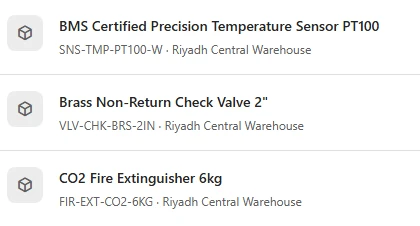
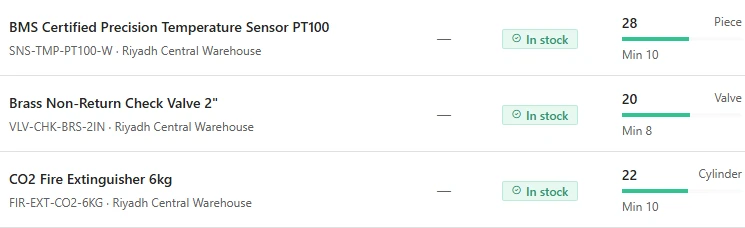
Consumables carry a SKU, quantity, minimum, maximum and reorder level, with reorder alerts.
One unit is issued: Batch A (Received first), Batch B (Expires first)
Weighted average
Batch ABatch B
Cost = average of A and B
FIFO
Batch ABatch B
Cost of batch A
FEFO
Batch ABatch B
Cost of batch B
Standard operating procedures
Build the procedure once and follow it on every job
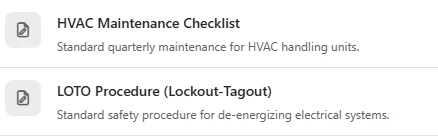
An SOP is a form made of sections and fields. Your team follows it on the work order, and the answers, photos and signatures stay with the job.
Chilled water pump PMUp to 5 levels
1Safety and isolation
1.1Lock out and tag out
1.1.1Prove zero energy
1.2PPE check
2Pump inspection4 fields
Sections inside sections
Sections nest inside other sections, up to five levels deep. They are numbered 1, 1.1, 1.1.1, and each one collapses so long forms stay easy to scan.
Text
Long text
Number
Date
Dropdown
Checkbox
File
Photo
Signature
Discharge pressure*
Required
Min 2
Max 6
Nine field types, with rules
Text, long text, number, date, dropdown, checkbox, file, photo and signature. Fields can be required and carry rules such as minimum and maximum value or text length.
Leak found?
Yes
Show whenLeak found?EqualsYes
Photo of the leak*
Add photo
Fields that react to answers
Show a field only when earlier answers match, for example equals, greater than or is empty. Conditions work in the web form.
SOP library
PPM schedule
Workflow task
Work orderOwn copy
SignedPhoto and signature
One template, every job
Attach one template to a PPM, workflow tasks or a work order. Each work order gets its own copy, with photo and signature fields for evidence.
Language
Arabic and English
The web app works fully in Arabic and English, with a complete right-to-left layout.
English
العربية
Trust
Your data, your rules
Isolated per company
Each company’s data lives in its own database schema, separate from every other company.
Roles and permissions
Four default roles, plus your own. Every access rule follows the role’s permissions and the locations assigned to the user.
Cost only for those who need it
Cost is visible only to roles with the View Cost permission. Technicians do not see it.
Daily backups kept apart from the main server, EU hosting, and a full copy of your data on request.How we secure your data
Who it is for
Built for GCC FM contractors, multi-site portfolios and enterprise assets
Four kinds of teams run SentrixFM the same way: plan the work, run it against a procedure and close it with proof.
Outsourced FM contractors
End client invoice disputes with mandatory photo and signature proof gates, while technicians never see your labour and parts margins.
Commercial towers and malls
Up to 7 location levels, from site to tower, floor, zone and room, with per-client and per-property permissions and fast HVAC and MEP preventive maintenance.
Healthcare and hospitality
Pass Civil Defense and ISO 41001 audits effortlessly with nested conditional SOPs up to 5 levels deep and a full timestamped audit trail.
Multi-site real estate groups
Run several operating companies in isolated database schemas, while executives get AI briefings across every site.
Built for your team
One platform, three ways of working
Facility manager
See every site, every open order and what needs attention today. Approve requests, set priorities and check the work against your targets.
Technician
Open today’s work in My Tasks, follow the steps, log time and parts, and attach the photos. Cost stays hidden unless your role allows it.
Executive
Read KPIs against targets and compare site health. Approve reports, and verify any report later by its report number.
Questions facility managers ask before choosing a CAFM
What is SentrixFM?
SentrixFM is a multi-tenant CAFM platform that keeps maintenance, assets, locations and work orders in one model. It follows the work from plan to proof in one chain: Workflow, Maintenance Package, PPM, Work Order, SOP, quality check and client approval.
What is the difference between CAFM and CMMS?
A CMMS mainly manages maintenance work on equipment. A CAFM platform also covers the locations and sites where that equipment sits. SentrixFM keeps maintenance, assets, locations and work orders together in one model, with seven location levels.
Does SentrixFM support Arabic and right-to-left layout?
Yes. The web app is available in full Arabic and English, with a complete right-to-left layout. Arabic and English are the only two languages today.
Can it schedule planned preventive maintenance (PPM) automatically?
Yes. You set a recurrence (daily, weekly, monthly, quarterly, yearly or a custom schedule), and a nightly scheduler turns each due PPM into a work order automatically, with its location, assets and assignees. It follows your company's time zone and holiday list.
How does a work order prove the job was completed?
Completing a work order checks the gates your company switches on per service type: time logged, after photo, completion note, SOP, quality check and client approval. Required SOP steps can include photos and signatures.
Can it manage several sites and several companies?
Yes. Each company's data is isolated in its own database schema, and each company sets its own roles and features. Inside a company, users see only the locations assigned to them, and analytics can cover the whole company or a single location.
Does SentrixFM manage spare parts and inventory?
Yes. Stores hold spare parts and consumables with stock levels, transfers between stores, requisitions and reservations. Stock is valued by weighted average, FIFO or FEFO, low-stock and near-expiry alerts are raised, and parts are issued to a work order from its Parts tab.
Does SentrixFM track SLA response and resolution times?
Yes. Each priority your company defines has a response time and a resolution time. SentrixFM measures every work order against them, and the results appear in KPI scorecards, reports and the dashboard.
Is SentrixFM still in beta?
No. SentrixFM is generally available and live in production. Our team guides every company through setup, data import and training.
How does pricing work?
SentrixFM is quoted around your sites. There is no public price list: tell us about your sites and facility teams at contact@sentrixfm.com and we reply with a quote and a live demo on one of your sites.
See it on one of your sites
Get your own demo account, seeded with sites, assets and jobs, or let us walk you through it with your sites in mind. Support and calls in Arabic, English, French and German. Write to contact@sentrixfm.com or book a time below.