
Work orders
Every work order follows one clear path to proof of completion
Statuses, rules, evidence and approvals live on the work order itself, so a facility manager can see what is done, what is blocked and what still needs proof.
Lifecycle
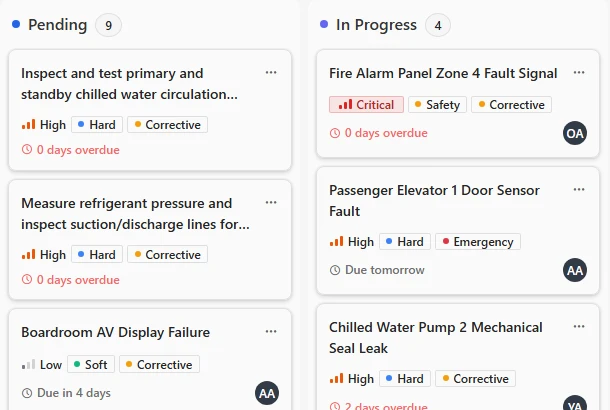
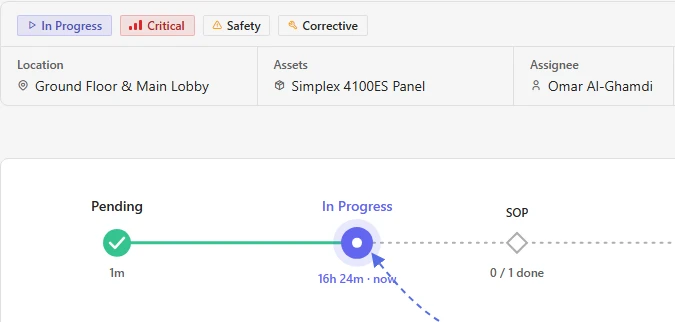
One lifecycle, with rules between the statuses
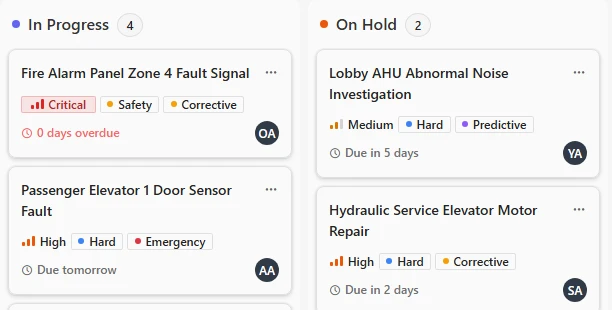
- Pending, In Progress, On Hold, Completed, Cancelled
- No direct move from Pending to Completed
- On Hold and Cancel need a note of at least 10 characters
Proof of completion
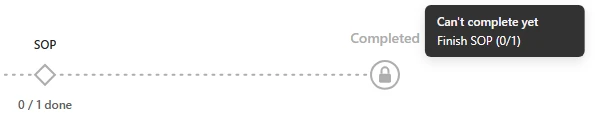
A work order closes only when the proof is there
- Gates are set per service type, by your company
- Logged time and a Documents photo count automatically
- Required SOP steps left empty block completion
Quality and approval
Quality check, client approval and a record when work is reopened
- Quality check: pending, validated, passed, rejected
- Client approval recorded by your own staff
- Reopening keeps a snapshot, up to 3 times unless an admin or manager overrides
SLA management
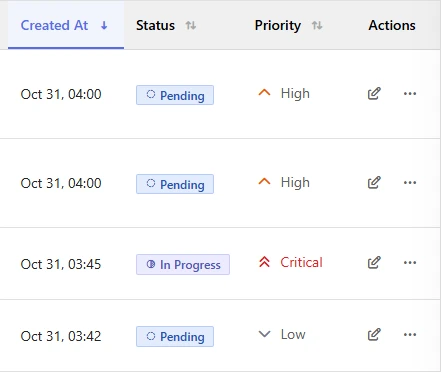
SLA response and resolution targets on every work order
- Color, response time and resolution time per priority
- SLA response and resolution targets set by your company
- Computed per work order, shown in KPI scorecards, reports and the dashboard
Cost and time
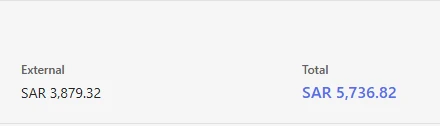
Cost and time on the work order, for the roles that may see it
- Parts, labour time and external cost lines in one total
- Visible only with the View Cost permission
- Technicians do not see cost
How it connects
Work orders sit in the middle of the plan-to-proof chain
Planned work arrives as work orders automatically. Execution follows the SOP, and the proof stays on the record that your reports read from. Work orders from a workflow cycle show their source.
- 1
Workflow and PPM
Plan the work and its schedule in advance.
- 2
Work order
Created on the due date with its data.
- 3
SOP and proof
Steps, photos and time recorded on the job.
- 4
Reports
Quality check, client approval and reporting follow.
Frequently asked questions
Can a work order be closed without a photo?
That depends on the gates your company switches on for the service type. If the after photo gate is on, the work order cannot be completed until a photo is uploaded, for example on its Documents tab.
Who can see the cost of a work order?
Only roles that have the View Cost permission. Technicians do not see cost.
What happens when a completed work order is reopened?
SentrixFM creates a version snapshot of the work order. A work order can be reopened up to 3 times, unless an admin or a manager overrides the limit.
Can technicians log their work on the work order?
Yes. In the web app a technician opens the work order from My Tasks, runs SOP steps with photos, starts and stops a labour timer and adds parts. A work order cannot be completed until the required SOP steps are done.
Related guide: The Work-Order Lifecycle Explained: Statuses and Proof
See a work order from start to proof
We walk you through it live, on one of your own sites.