
Spare parts, inventory and costing
Spare parts and inventory, with the cost of every job
Manage spare parts and consumables across stores, issue them to work orders, then see the cost on the work order and on the asset it belongs to.
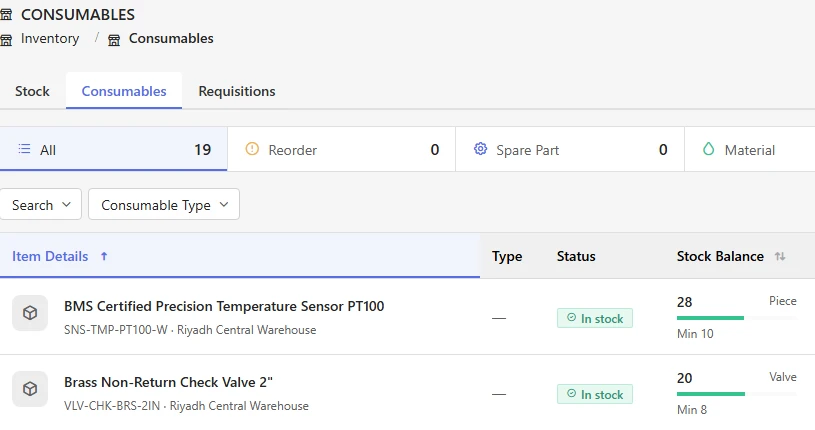
Spare parts and inventory
Every spare part and consumable with its SKU, quantity and limits
- SKU, quantity, minimum, maximum and reorder level
- Parts imported from a file
- Rows with errors are reported with a reason, and existing stock is kept
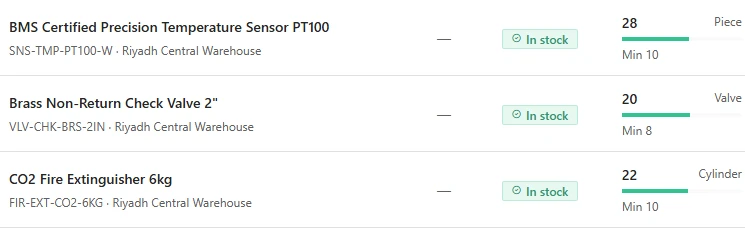
Stock movements
Stock transfers, requisitions, reservations and low-stock alerts
- Transactions: in, out, adjustment and transfer between stores
- Requisitions and reservations on approval
- Low-stock, reorder and near-expiry alerts
- Parts issued from the work order Parts tab

Costing method
Your company chooses how stock is costed
- Weighted average, FIFO or FEFO, chosen by your company
- Stock receipts kept as cost layers
- A stock valuation screen for the store
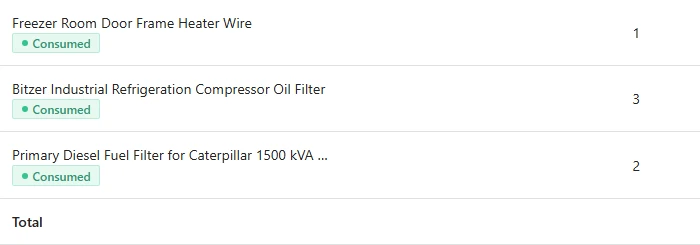
Cost on the record
See the cost on the work order and on the asset
- Parts, labour time and external cost lines in one work order cost
- Lifetime cost on a tab of each asset
- Visible only with the View Cost permission

How it connects
Cost is where the plan-to-proof chain ends
Planned work arrives as work orders automatically. Execution follows the SOP, and the parts and labour recorded on the job roll up into the cost of the work order.
- 1
Workflow and PPM
Plan the work and its schedule in advance.
- 2
Work order
Created on the due date with its data.
- 3
SOP and proof
Steps, photos and time recorded on the job.
- 4
Cost
Parts, labour and external lines roll up into the work order cost.
Frequently asked questions
Does SentrixFM manage spare parts and inventory?
Yes. Stores hold spare parts and consumables with stock levels, transfers between stores, requisitions and reservations. Stock is valued by weighted average, FIFO or FEFO, low-stock and near-expiry alerts are raised, and parts are issued to work orders from their Parts tab.
Who can see the cost?
Only roles that have the View Cost permission. Technicians do not see cost.
Which stock costing methods are supported?
Weighted average, FIFO or FEFO. Your company chooses the method, and stock receipts are kept as cost layers.
Can technicians add parts to a work order?
Yes. In the web app a technician adds a part to the work order from its Parts tab. The technician can also start and stop a labour timer on the Cost and time tab.
Can we load our existing parts from a file?
Yes. Parts can be imported from a file. Rows with errors are reported with a reason, and your existing stock is kept.
Related guide: How to Choose a CAFM System: A Buyer's Checklist
See stock and cost on your own work orders
We walk you through it live, on one of your own sites.