
Space and IoT
See every space, and what is happening in it, in one 3D building
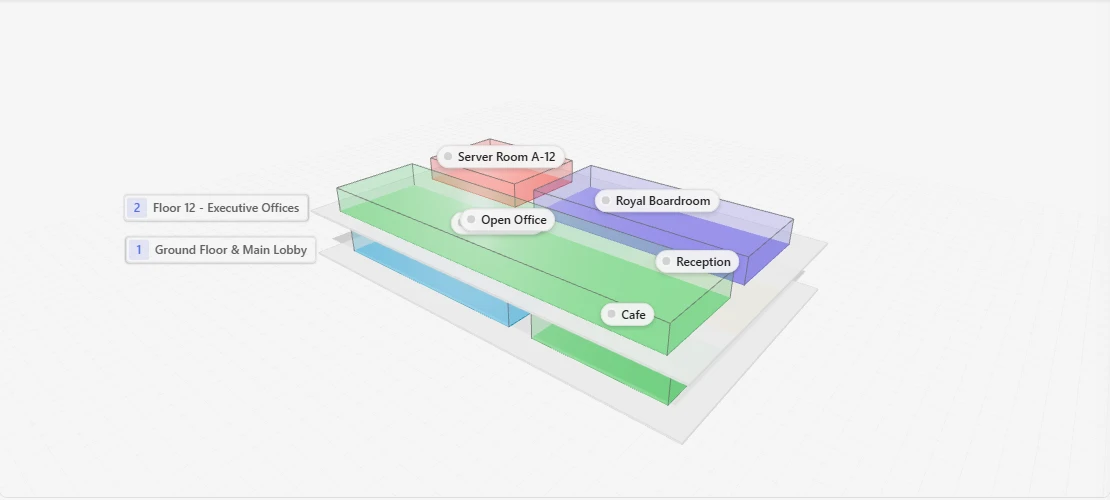
Space records with area, capacity and occupancy, floor plans with rooms drawn on them, and an interactive 3D building coloured by temperature, occupancy or alarms. Sensors raise alarms that open work orders.
Spaces
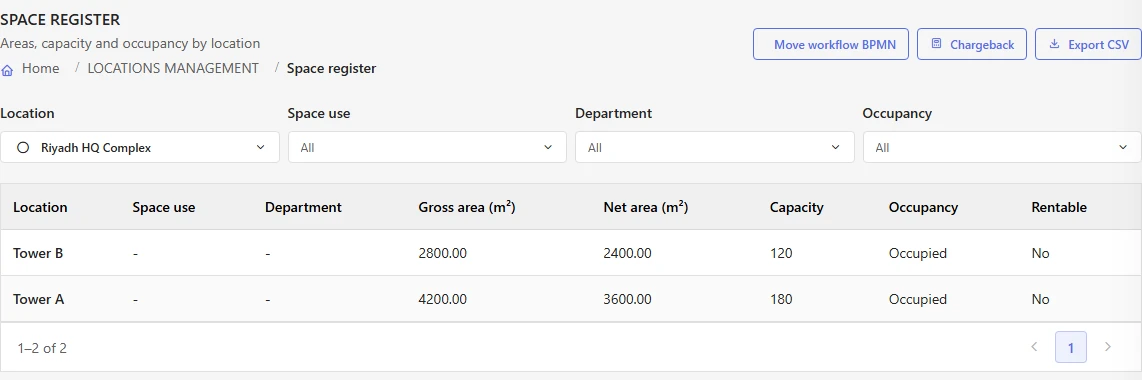
Area, capacity and occupancy on every location
- Gross and net area, capacity, space use and department
- Occupancy: Vacant, Partly occupied, Occupied or Unusable
- Rentable yes or no, with a chargeback report per department
- Totals roll up from every sub-location, without double counting
Floor plans
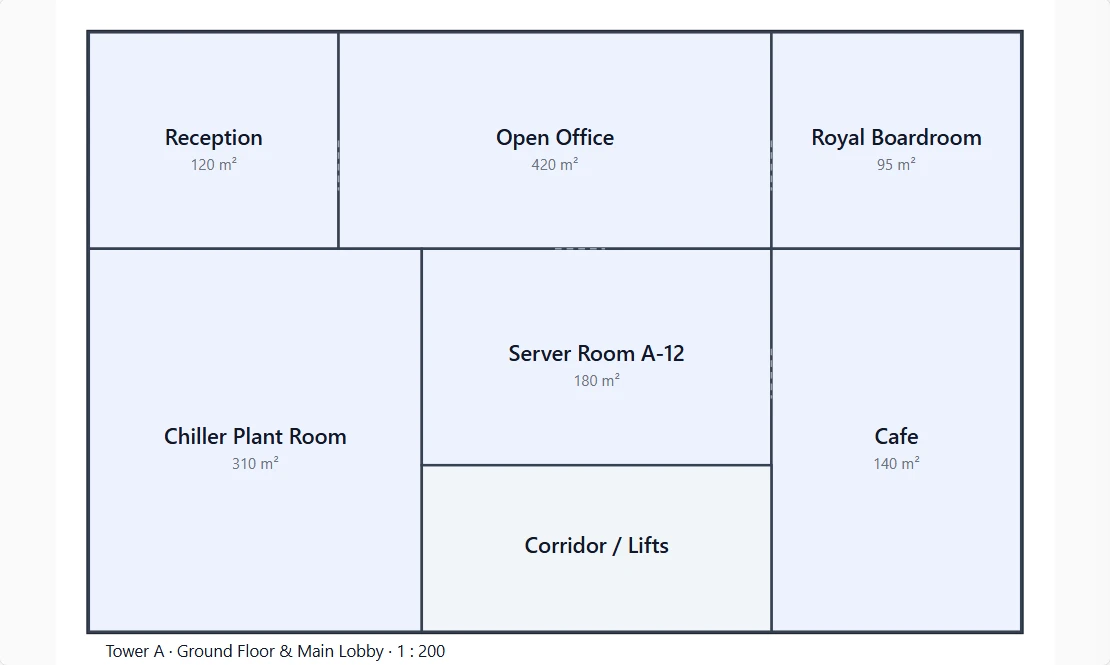
A floor plan for each floor, with rooms linked to locations
- One floor plan image per floor, with its scale in metres
- Each room drawn as a shape linked to its location
- Sensors placed on the plan by clicking their position
Interactive 3D building
The whole building in 3D, coloured by what you want to see
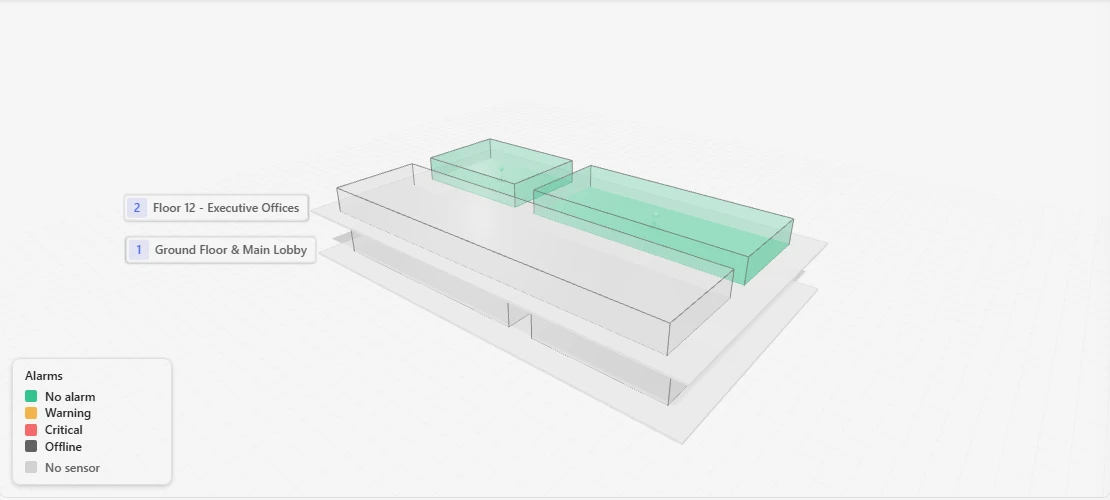
- Layers for temperature, occupancy and alarms, with a colour legend
- Hover a room for its live value, sensors and open alarms
- One floor or the whole building, and a 24-hour time slider
- Switch between the 2D plan and the 3D view
IoT sensors and alarms
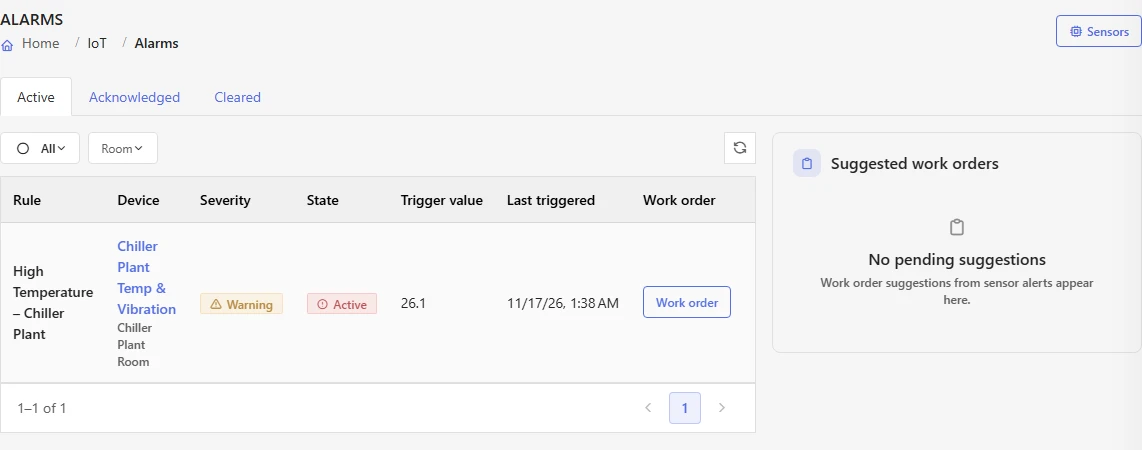
Sensors raise alarms that open work orders
- Nine measurement types, linked to locations and assets
- Alert rules with severity info, warning or critical
- A work order created or suggested for approval, a workflow or a notification
- A sensor that stops reporting raises its own alarm
Booking and move requests
Book a room without clashes, and move people with a workflow
- Bookings that overlap another are refused
- Bookings can be changed or cancelled
- People assigned to a space, with a seat label and start and end dates
- A ready-made move request workflow, from review to approval to relocation

Frequently asked questions
Which space details does SentrixFM keep?
Gross and net area in m², capacity, space use, department, occupancy (Vacant, Partly occupied, Occupied or Unusable) and whether the space is rentable. Totals roll up for a location and everything under it, without double counting.
What does the 3D building show?
The floor plans of a building stacked into a 3D model, with rooms coloured live by temperature, occupancy or alarms. Rooms without a sensor stay neutral. You can hover a room for its live value, rewind the last 24 hours and switch between the 2D plan and the 3D view.
Which sensors and measurements are supported?
Gateways send readings over HTTPS with a per-gateway token, as generic JSON or in the ChirpStack and The Things Stack LoRaWAN formats. SentrixFM tracks temperature, humidity, CO2, occupancy, door, water leak, vibration, power and energy.
Can an alarm create a work order?
Yes. An alert rule can create a work order, suggest one for a person to approve or reject, start a workflow or send a notification. Alarms move from active to acknowledged to cleared.
What happens if two people book the same room?
SentrixFM checks availability and refuses a booking that overlaps another. Bookings can be changed or cancelled.
Are space management and IoT switched on for everyone?
Yes. Space management and IoT come with every SentrixFM company. Each is limited by its own permissions, so the company decides who sees and manages them.
Related guide: What is a CAFM system?
See your spaces and sensors in SentrixFM
We walk you through it live, on one of your own sites.