
Running several clients on one platform
A contractor does not run one building but a portfolio: each client has its own sites, equipment, agreed service level and way of asking for proof. When every client lives in a separate spreadsheet or a different system, the same problems repeat:
- Nobody sees the whole portfolio, so reports are assembled by hand from each file.
- Technicians move between the sites of different clients while the task details sit with a supervisor in chat messages.
- Each client wants a report in a different shape, and the team loses time reformatting.
- When a client disputes a job, there is no single record both sides can go back to.
What you need is one record that holds locations, assets and work orders for every client, with clear boundaries between them. It also pays to decide early how you organise clients inside the system, for example one separate branch of the location tree per client. That is a way of organising that you choose, it suits some contracts better than others, and it is not a fixed rule.
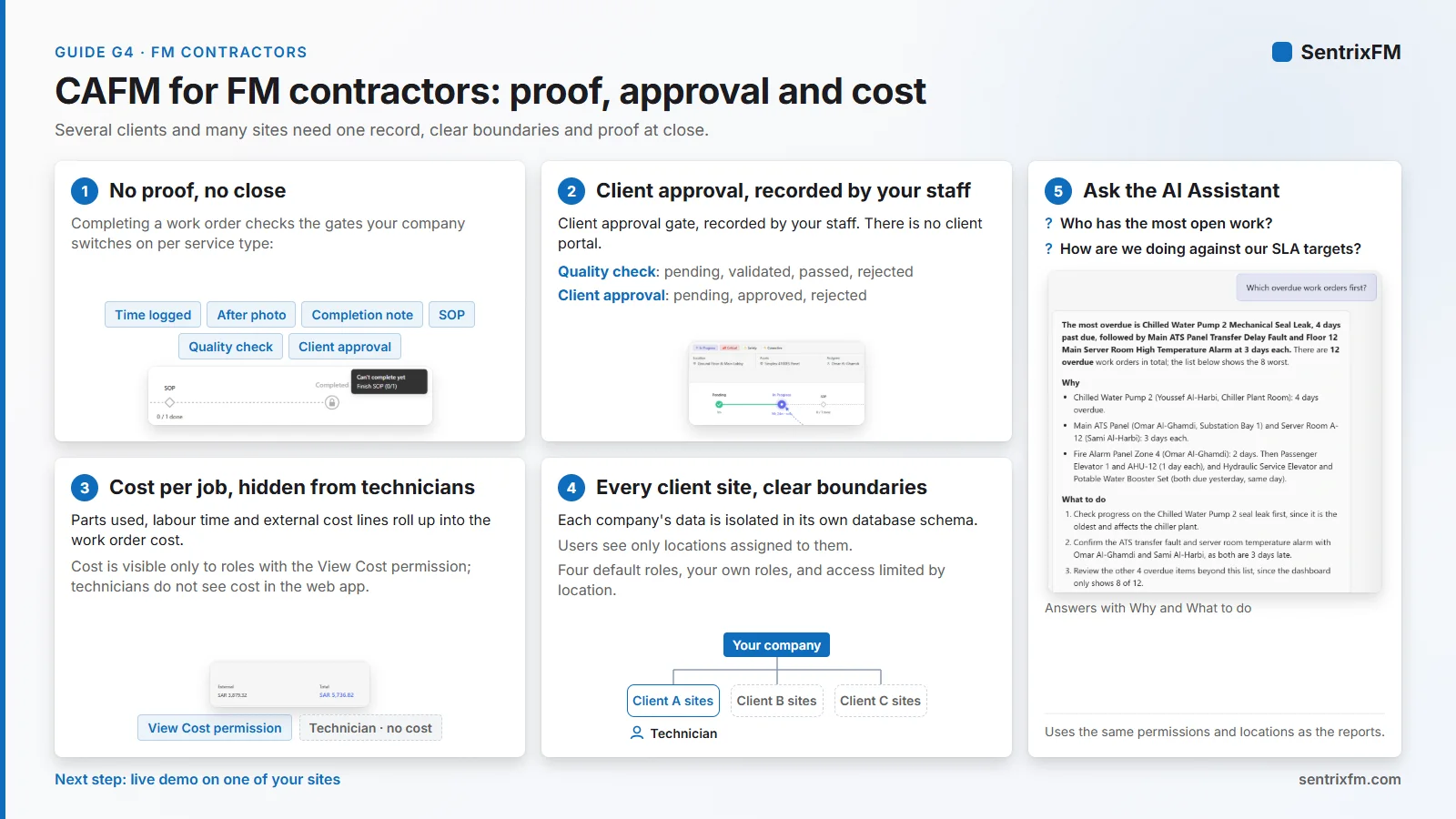
Keeping each client's data separate
A client expects that nobody else can see its assets, sites and contract details. Good isolation works in two layers, and you should ask any vendor about each one separately:
- Between companies, at platform level: is your company's data separated from other companies' data in the database itself, or only in the interface?
- Inside your company: who sees which site, which client, which record? This is where roles and location-based access come in.
On the second layer, one point deserves plain talk. If you place all your clients inside one company in the system, separation between one client and another is done through roles and assigned locations, not through a separate database partition per client. That is enough for many contracts, but it needs roles and locations to be set up with care. If a particular client requires a stricter separation, raise it with the vendor before you sign.
Proof of completion and client approval
Most payment disputes start with a simple question: was the work really done? The strongest answer is evidence collected at the moment of the work, not weeks later. What the system should ask for before it closes a job:
- Logged work time.
- An after photo.
- A written completion note.
- The standard operating procedure (SOP) carried out step by step.
- A quality check by your supervisor.
- Client approval.
Not every gate suits every service. Lift maintenance is not the same as corridor cleaning, so it is better for your company to choose the gates per service type.
Client approval needs to be understood precisely: it is a gate recorded by your own staff. The client approves the work in the way you agreed (a visit, a signature, a message), and your people then record the decision on the work order. SentrixFM has no client portal and the client does not need an account. The approval state stays visible in the record: pending, approved or rejected. The internal quality check has its own states: pending, validated, passed, rejected.
Assigning teams by site
Field chaos across many contracts usually comes from two things: a technician who sees tasks that are not theirs, and a supervisor who sends someone to a site they do not know. A common practice is to assign each group of technicians only to the sites of their contract, and to show a technician only what concerns them.
In SentrixFM users see only the locations assigned to them, and every permission follows the role a user holds. There are four default roles (Company Owner, Facility Manager, Technician and User), your company can create its own, and access is also limited by location. A technician for one client stays out of another client's sites, and each person knows what is expected and where.
Cost and time per work order
On comprehensive maintenance contracts and contracts priced by work item, the contractor keeps asking one question: does this contract make money? You can only answer it by tying cost to each work order. In SentrixFM a work order has a Cost and time tab: parts used, labour time and external cost lines roll up into the work order cost. If logged time is a gate switched on for the service type, the order cannot close without it.
Cost is commercially sensitive: a technician does not need to see what you pay a supplier or charge a client. So cost is visible only to roles with the View Cost permission, and technicians do not see it. What you charge a client is set by your contract, not by the system, but these records give you a documented basis for that conversation.
Reports for the client
A good client is not satisfied to hear that work is on track: it wants numbers against the agreed targets. The reports that help here are a work-order summary, asset health, PPM compliance, and a scorecard that compares each KPI with its target, with a six-period trend and a breakdown one level down.
SentrixFM has five reports: work-order summary, asset health, PPM compliance, KPI scorecard against targets, and work-order KPIs. Reports can be submitted, signed, approved or rejected, and any report can be verified by its report number. That helps the client relationship: what you hand over is a documented report whose origin you can prove. The targets themselves are set by your company in Settings to match your contracts.
How SentrixFM handles this
Each company's data is isolated in its own database schema. Users see only the locations assigned to them, and every permission follows the role's permissions: four default roles, custom roles your company creates, and access also limited by location. Completing a work order checks the gates your company switches on per service type: time logged, after photo, completion note, SOP, quality check and client approval. Quality check has four states (pending, validated, passed, rejected) and client approval has three (pending, approved, rejected). Client approval is a gate recorded by your staff, and there is no client portal. A work order has a Cost and time tab that rolls up parts, labour and external cost lines, and cost is visible only to roles with the View Cost permission. Five reports are available, including the KPI scorecard against targets, and they can be submitted, signed, approved or rejected and verified by report number.
Next step: a live demo on one of your sites, through contact@sentrixfm.com or sentrixfm.com.